Muse AI MOD APK (Premium Unlocked) Download 2026
Muse AI MOD APK is a modified, unofficial build of Meta AI, the AI assistant app from Meta Platforms, Inc. On Google Play the app is listed under the name Meta AI, and it is the app behind the Muse assistant that Meta offers across its apps and devices. MOD distributors advertise their builds of Muse AI MOD APK as unlocking premium features for free, without the limits of the official free version. This guide gives you the verified facts first: the real name, the real version number, the real size, and the real features, followed by an honest look at what a MOD build claims, how to install one, and what the risks are.
You will not find invented version numbers or made-up features here. The app’s details were checked on Google Play and on APKMirror on 9 November 2026, and every number in the information table below comes from one of those two sources. Where a MOD feature is advertised by third-party distributors but cannot be verified, this guide says so plainly, because that distinction matters when you are deciding what to install on your phone.
New to modified apps? If you want a comparison before installing anything, read our roundup of the best AI chatbot APKs of 2026, where Muse AI is compared with ChatGPT and Grok, and our privacy review Is ChatGPT MOD APK Safe? for the safety questions that apply to every AI chatbot MOD in the same way.
Muse AI MOD APK Information
| App Name | Muse AI MOD APK |
| Official app name | Meta AI (listed as Meta AI on Google Play) |
| MOD Info | Premium Unlocked, No Ads (as advertised by MOD distributors; unverified) |
| Category | Android Apps — AI Chatbot |
| Developer (official app) | Meta Platforms, Inc. |
| What It Does | AI assistant for chat, voice, research, image creation, daily briefings, scheduled tasks and AI glasses |
| Version | 298.0.0.28.160 |
| Size | 92.60 MB (APKMirror, arm64-v8a variant) |
| Requires Android | 10 and up |
| Package name | com.facebook.stella |
| Downloads (official app) | 100M+ on Google Play |
| Rating (official app) | 4.6 stars from 2.8 million reviews |
| Price | Free to install; in-app purchases in the official app |
| Updated | 7 November 2026 (version 298.0.0.28.160 listed on APKMirror; Google Play listing updated 5 November 2026) |
What Is Muse AI?
Muse AI is Meta’s AI assistant. On Google Play it is published by Meta Platforms, Inc. under the name Meta AI, in the Productivity category, and it has been downloaded more than 100 million times with a 4.6-star rating from 2.8 million reviews. The assistant is built with Muse Spark, which Meta describes as the latest natively multimodal reasoning model from Meta Superintelligence Labs.
In other words, Muse is the name of Meta’s assistant, and Meta AI is the name of the Android app you install to use it. The same assistant is also available inside WhatsApp, Messenger, Instagram and Facebook, on the web at meta.ai, and through Meta’s AI glasses.
That naming detail is worth getting right, because it affects what you download. If you search Google Play for Muse AI, the result you should install is Meta AI, package name com.facebook.stella. Meta also lists a separate app called Muse from Meta among its other apps on the Play Store, so do not confuse the two listings.
The assistant described in this guide — the chatbot with daily briefings, research reports, image creation and AI glasses support — is the Meta AI app, and that is the app a Muse AI MOD APK build is based on.

The official app is free to install, and Meta lists in-app purchases on its Play Store page. Most of the assistant’s core features work for free in the official app: you can chat by text or voice, create images, get personalised recommendations and use the assistant across Meta’s apps without paying.
That is the first thing to understand about Muse AI MOD APK, because it shapes the whole question of whether a MOD is worth anything at all. A MOD does not add a new assistant or a new model. It repackages the same official app and claims to remove its limits and its ads, and whether any particular build actually does that is something Modzyra has not verified.
Muse AI is designed to be personal. It can give you a daily briefing drawn from your own day and calendar, remind you about tickets or group events, research a question and bring back a structured report, and turn a single prompt into a presentation, a quiz or a workout plan. It can answer questions from a photo or a document, help you think through a hard decision step by step, and chat privately in a mode that does not save the conversation. The sections below go through each of those features properly, using Meta’s own description of the app as published on Google Play.
What Is Muse AI MOD APK?
Muse AI MOD APK is a modified version of the official Meta AI app, repackaged by third-party distributors rather than by Meta. A MOD build starts with the official app and changes it in some way — distributors advertise their Muse AI MOD APK builds as unlocking premium features, removing ads and unlocking everything the app can do.
That is the claim, and it is worth treating it as a claim rather than a fact. There is no official MOD version of Muse AI, no MOD released by Meta, and no official changelog for any MOD build. Features, safety and stability vary from one distributor’s build to another, and what one build unlocks, another may not.
The features listed in the next section are the official Muse AI features that a MOD build is built on, plus the premium extras that MOD distributors advertise. The official features are verified from Google Play and APKMirror. The MOD extras are labelled as advertised and unverified wherever they appear, so you can tell the difference.
If you only want the official app, you can get it free from Google Play, where it is published by Meta Platforms, Inc. The rest of this guide is for readers who want to understand what MOD distributors promise before deciding anything.
One more honest note before the features. An AI assistant app is not the best candidate for a MOD in the first place. The value of Muse AI lives in its servers and its model, Muse Spark, not just in the app on your phone. A modified app cannot change the model, cannot give you an account you do not have, and cannot make a paid subscription free on Meta’s side.
What a MOD can change is the app’s own limits — its ads, its local restrictions, and anything enforced inside the app itself. Keep that in mind when you read the claims below, and compare it with how MODs work for other AI apps in our guide to using ChatGPT MOD APK for study and work.
Key Features of Muse AI MOD APK
The features below are the official Muse AI features that Muse AI MOD APK is built on, plus the extras that MOD distributors advertise. The first group is verified from the app’s Google Play listing. The MOD extras are marked as advertised and unverified.
Daily Briefings That Start Your Day
The headline feature of the November 2026 update is daily briefings. Muse AI can start your day with a briefing that brings together the things you need to know: a plan for your morning, the weather where you are, and anything coming up later. The screenshot shows a briefing that covers the top of the morning — wake-up time, a daily plan, weather, and a list of scheduled events such as a trip briefing and a group workout.
It is a small feature that changes how the app feels to open: instead of a blank chat box, you get something made for you, for today.
A daily briefing is only as good as the information behind it. In Muse AI, the briefing pulls together your own day, so it works best when you let the assistant connect to your calendar and your email. That connection is optional, and the guide below explains what it involves. Used well, a briefing saves you the five minutes of planning and checking that most people do first thing, and it puts reminders, events and travel in one place before you ask for them.

Scheduled Tasks and Reminders
Muse AI can now set up scheduled tasks. You can ask it to plan your morning, remind you about concert tickets and group events, and keep track of the smaller things that normally disappear from your head. This is the part of the app that behaves like a personal assistant rather than a chatbot: instead of answering a question and stopping, it can do something later, at the time you asked for.
The practical uses are straightforward. Ask Muse AI to remind you before a booking, to summarise what is happening on a particular day, or to plan a morning that includes travel time, weather and the first meeting of the day. The more specific your instructions are — times, places, who is involved — the more useful the result will be, because the assistant is working from your own schedule rather than from general knowledge.
Email and Calendar Connection
To make briefings and scheduled tasks work properly, Muse AI can connect to your email and calendar. With that connection, the assistant can see your appointments, your bookings and the context of your day, and answer questions that depend on them — when your flight is, where your meeting is, or what you have planned for the weekend. Meta’s listing says the app can connect to email and calendar as part of the November update, and it is the feature that makes the daily briefing personal rather than generic.
Connecting email and calendar is a personal decision, and you should treat it as one. It gives the assistant access to genuinely private information, and it is worth reading Meta’s privacy information in the app before you switch it on. You can use Muse AI without that connection — chat, images and research all work independently — and many people will prefer that. The right choice depends on how much you want the assistant to know about your day.
In-Depth Research Reports
For deeper questions, Muse AI can search across many sources and deliver a structured, detailed research report in a matter of minutes. Meta describes this as a report on anything you want to go deep on, and the important word is structured. Rather than a single long answer, you get a report with headings and sources you can actually follow — the sort of thing you would otherwise spend an evening assembling from a dozen web pages.
The research report is most useful for decisions and comparisons. Ask for a report on two phones you are choosing between, on travel options for a trip, or on a topic you need to understand for work. Then check the key claims in the report against the source it cites, especially for prices, dates and specifications, because even the best research assistant can fetch something stale. That habit — trusting the structure, verifying the details — is how research features are meant to be used.
Create Presentations, Quizzes, Games and Plans
Muse AI can also make things from a single prompt: a presentation, a quiz, a workout plan, a lookbook or a game. This is the creative side of the assistant, and it is the feature that separates a modern AI assistant from a search box. You describe what you want in plain words, and the app builds the first version for you, which you can then edit, extend or throw away.
The applications are wider than they first sound. A teacher can turn a topic into a quiz in a minute. A fitness beginner can get a workout plan that fits their week. Someone planning a party can get a theme, a list and a plan in one go. Our guide to using ChatGPT MOD APK for study and work covers similar creative uses for study — Muse AI’s version of the idea is built into the same assistant you chat with, so the presentation or quiz you make can be refined in the same conversation.

Answers From Any Photo, Video, Document or File
One of the most useful things Muse AI can do is answer questions from something you give it, rather than from a question you type. Snap a picture and ask about what it shows. Upload a document, a PDF or a spreadsheet and ask for a summary, a comparison or an analysis. Send several files at once and Muse AI works through them together. That takes the assistant out of the chat box and into the way people actually work, where the question is usually about a file in front of you.
For study and office work, this is where the app earns its place. Upload lecture notes and ask for the key points. Send two versions of a document and ask what changed. Drop in a spreadsheet and ask what the numbers say. The quality of the answer depends on the quality of the file, and on asking a specific question rather than a general one — “summarise the risks in section three” will beat “what is this document about” every time.
Thinking Mode: Step-by-Step Reasoning
When a question is hard, Muse AI can take its time. Turn on Thinking mode and the assistant reasons step by step through complex questions instead of jumping to an answer. Meta describes this as the mode for the big decisions and the hard problems, and it is the one to use when the answer matters — a career choice, a financial decision, a problem with no obvious answer.
Thinking mode works because it makes the assistant’s reasoning visible. You can see how it broke the problem down, what it considered, and what it weighed up before concluding. If you disagree with something in the middle, you can challenge that step rather than starting over. For students and for anyone making a serious decision, that transparency is more valuable than speed.
Voice Chat in 13 Languages and Live AI
You can talk to Muse AI as well as type to it. Voice conversations are faster and more natural than typing, and the app supports 13 languages for voice chat. Live AI gives you real-time answers to anything you see around you, which makes the voice side of the app useful in situations where typing would be awkward or slow — walking, cooking, driving, or simply thinking out loud.
Voice chat is also the feature that makes an AI assistant accessible to people who do not type easily, and to anyone who thinks better out loud. If your language is one of the supported 13, the app will understand you, and it will answer in the same language. Meta notes that certain features are only available in select countries and languages, so availability can vary where you are.
Discover Local Spots and Shop With a Photo
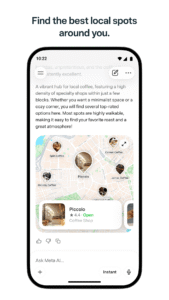
Muse AI connects the assistant to the real world around you. Ask for restaurant recommendations, things to do or where to go this weekend, and it draws on real reviews, posts and what is trending to surface suggestions with ratings, photos and details. The screenshot shows the app recommending local spots around you, with places to eat and things to do that are rated by other people rather than by the assistant alone.
Shopping works the same way. Discover and shop for products that match your style with a photo, or simply describe what you want. The app shows matches it calls shelf-worthy, with the item, its look and its details. The screenshot shows the app finding coffee mugs that resemble a best coffee mug example, which is a good demonstration of the idea: you show the assistant something you like, and it finds things that look like it.
As with the research reports, it is worth checking the price and the seller before you buy, because the assistant is suggesting, not selling.

Go Hands-Free With AI Glasses
Muse AI is also the companion app for Meta’s AI glasses. Pair your glasses for hands-free personal assistance as you go about your day. The Meta AI app is the required companion for managing Meta’s AI glasses, importing and sharing media, and more, which makes the app essential if you own a pair — not just another way of chatting with the same assistant.
The glasses connection shows where Meta is heading with this assistant. The idea is an assistant that sees what you see when you choose to share it, so you can ask about something in front of you without reaching for your phone. The screenshot shows the app managing a pair of Wayfarer glasses, with media and reminders in the same place. As with every feature that depends on a camera, the useful version of this is the one you control, with media sharing that you switch on deliberately.

Incognito Chat and Private Conversations
Not every conversation should be saved. Muse AI offers an Incognito Chat for a private, temporary conversation that only you can see. It is the right mode for questions you do not want kept in your history, and it is a reminder that an assistant which can connect to your email and calendar should also offer a way to talk to it without leaving a record. Use normal chat for your ongoing work and Incognito Chat for one-off questions you would rather keep to yourself.
Incognito Chat is a private conversation, not an anonymous one. Meta still provides the service, and the private chat is temporary rather than hidden from the provider. That is a fair trade for a feature that costs nothing to use, and it is the same trade you make with private modes in other AI apps. For a closer look at how privacy works in these apps generally, see our review Is ChatGPT MOD APK Safe?.
Premium Unlocked and No Ads (MOD Claim)
This is the headline that MOD distributors advertise for Muse AI MOD APK: premium unlocked, no ads, and every feature open from the start. In the official app, there are limits and in-app purchases, and the free experience includes the assistant’s own presentation of features that cost money elsewhere.
A MOD build claims to remove those limits so that you can use everything without paying. Modzyra has not tested any particular Muse AI MOD APK build, and the features, safety and stability of a modified build vary by distributor, so treat this as an advertised claim rather than a verified fact.
It is also worth repeating the point made earlier: the model itself cannot be unlocked by a MOD. Muse Spark runs on Meta’s servers, and a modified app cannot change what the model can do or give you a subscription that Meta has not granted.
What a MOD can change is decided inside the app. If a particular premium feature works only because the app checks a local flag, a MOD can change that flag. If it works because your account has a subscription on Meta’s servers, a MOD cannot change it. That is why the same MOD can unlock one thing and not another, and why two builds can behave differently.
Muse AI MOD APK Download
You can download Muse AI MOD APK version 298.0.0.28.160 for Android below once a download link is available. The button below goes to the file the site owner will add, and this guide will be updated when the verified download link is in place.
Note: the download button above is a placeholder with no link attached. No third-party download link has been added, because Modzyra does not publish a file it has not verified. The official app is free on Google Play, and the link above will be added by the site owner once a verified file is available.
How to Install Muse AI MOD APK on Android
Installing a MOD APK is different from installing an app from Google Play, because Android blocks installs from outside the Play Store by default. The steps below are the standard ones for any MOD APK, and they apply to Muse AI MOD APK version 298.0.0.28.160 in exactly the same way. Do not skip the safety step in the middle: scan the file before you install it, and only install it if you trust the source.
- Download the Muse AI MOD APK file (v298.0.0.28.160) from the button above once the verified link is available, and check that the file size matches the 92.60 MB listed for this version.
- Before installing, scan the APK file with a reputable security app and check that the package name is com.facebook.stella.
- Open Settings on your Android phone, then go to Apps, and then Special app access, and allow Install unknown apps for the browser or file manager you downloaded the file with.
- Find the APK file in your Downloads folder using your file manager and tap it.
- If Android warns you about installing an unknown app, review the warning, and only continue if you trust the file and the source.
- Tap Install and wait for the process to finish.
- Open Muse AI and sign in with your Meta account if you want your chats, briefings and glasses to sync. If you already have the official Meta AI app installed and the install fails, uninstall the official version first, because Android cannot install two apps with the same package name side by side.
After installing, check the version inside the app to confirm you have 298.0.0.28.160, and check that the features you expect are actually working before you rely on the app. If a feature does not work in the MOD build, the official app from Google Play is the fallback, and it has the same core features with Meta’s support behind it.
Is Muse AI MOD APK Safe to Use?
There is no simple yes-or-no answer, and any site that gives one is not being honest with you. The official Meta AI app is published by Meta Platforms, Inc., is scanned by Google Play Protect, and is supported by Meta. A MOD APK is an unofficial, repackaged app, so it cannot be verified the way the official app can be, and its safety depends on who repackaged it and what they changed inside it.
The risk is higher for an AI assistant app than it is for a game. Muse AI can connect to your email and calendar, it holds your conversations, and it can see your photos and documents when you share them. Installing a modified version of an app with that level of access means trusting the person who modified it with your private information.
Before installing any Muse AI MOD APK, scan the file with a reputable security app, download only from a source you trust, and think carefully before you sign in with your Meta account or connect your email and calendar inside a modified app. If you are not comfortable with that trade, use the official app from Google Play instead — it is free, and it has the same assistant inside.
For a wider view of the same question, read our review Is ChatGPT MOD APK Safe?, which covers privacy, account risk and the checks to run before you install any modified AI chatbot. The advice there applies to Muse AI MOD APK just as directly.
Muse AI MOD APK vs the Official Muse AI App
| Feature | Official Muse AI App | Muse AI MOD APK |
|---|---|---|
| Price | Free, with in-app purchases | Free (as advertised) |
| Daily briefings | Included | Included |
| Scheduled tasks and reminders | Included | Included |
| Research reports and Thinking mode | Included | Included |
| Voice chat in 13 languages | Included | Included |
| AI glasses companion | Included | Included |
| Ads | Shown in the free experience | Removed (as advertised) |
| Premium features | Limited in the free version | Unlocked (as advertised) |
| Updates | Automatic through Google Play | Manual — you must find and install each new version |
| Verification and safety | Published by Meta Platforms, Inc. and scanned by Play Protect | Unverified — varies by distributor |
| Support | Official support from Meta | None |
The trade-off is clear. The MOD version promises the paid features for free, while the official version gives you automatic updates, Meta’s support, and the assurance that the app is exactly what Meta published. For an assistant that handles your calendar, your email and your private conversations, that assurance is worth more than it is for a game or a photo editor.
Pros and Cons of Muse AI MOD APK
Pros
- Daily briefings, scheduled tasks and research reports from the official app, as in version 298.0.0.28.160
- Thinking mode for step-by-step reasoning on hard decisions
- Voice chat in 13 languages and live AI for real-time questions
- Answers from photos, documents, PDFs and spreadsheets, including several files at once
- AI glasses companion for hands-free help, and Incognito Chat for temporary private conversations
- Premium features and no ads (as advertised by MOD distributors)
- Works across WhatsApp, Messenger, Instagram and Facebook as well as in the app itself
Cons
- Unofficial and unverified — features and safety vary by distributor
- No automatic updates through Google Play; each new version must be found and installed manually
- No official support from Meta if something goes wrong
- May stop working after an official app update, and cannot unlock anything that depends on a Meta subscription
- An AI assistant handles private information, so a modified build carries more risk than a MOD of a game
- Some features are only available in select countries and languages, MOD or not
Best Alternatives to Muse AI MOD APK
If Muse AI is not quite what you need, or you would rather stay with official apps, these are the closest alternatives on Modzyra.
- ChatGPT MOD APK — the most widely used AI chatbot, with strong study and work features. See also our privacy review, Is ChatGPT MOD APK Safe?, before you install it.
- SuperGrok MOD APK — Grok’s AI assistant, with real-time answers and its own style of reasoning.
- Wink MOD APK — a different kind of AI app: an AI video enhancer and editor, for readers who want AI for creativity rather than conversation.
For a wider comparison of all three, see our roundup of the best AI chatbot APKs of 2026, where Muse AI is compared with ChatGPT and Grok side by side.
Tips for the Best Results With Muse AI
- Ask specific questions. “Summarise the risks in section three” will always beat “what is this document about”, because the assistant knows what you actually want.
- Use Thinking mode for decisions. Turn it on when the answer matters, so you can see the reasoning before you accept the conclusion.
- Connect your calendar only if you want the briefing. The daily briefing is much better with a calendar connection, but you can use the chat, images and research perfectly well without it.
- Try one file first. Upload a short document and check the summary before you send a whole set of files, so you can see whether the result is accurate.
- Check prices and dates. Research reports are structured and fast, but the details can go stale — verify prices, opening hours and specifications before you rely on them.
- Use Incognito Chat for one-off questions. Keep your normal history for ongoing work and use a temporary chat for questions you do not want saved.
- Keep the official app as a fallback. If a MOD build stops working after an update, the official Meta AI app from Google Play has the same assistant and the same core features.
Frequently Asked Questions About Muse AI MOD APK
What is Muse AI MOD APK?
Muse AI MOD APK is a modified, unofficial version of Meta AI, the AI assistant app by Meta Platforms, Inc. It is the same assistant, repackaged by third-party distributors who advertise their builds as unlocking premium features and removing ads. There is no official MOD version released by Meta.
Is Muse AI MOD APK free to download?
MOD distributors advertise Muse AI MOD APK as free to download. The official app is also free to install from Google Play, with in-app purchases listed on its Play Store page.
What is the latest version of Muse AI MOD APK?
The latest version covered in this guide is 298.0.0.28.160, listed on APKMirror on 7 November 2026. The APK file is 92.60 MB, requires Android 10 and up, and has the package name com.facebook.stella. The Google Play listing was updated on 5 November 2026.
Is Muse AI MOD APK safe to use?
A MOD APK is an unofficial, repackaged app, so it cannot be verified the way the official app from Google Play can be. Its safety depends on the distributor. Before installing, scan the file with a reputable security app, download only from a source you trust, and be careful about signing in or connecting your email and calendar inside a modified app.
Does Muse AI MOD APK really unlock premium features?
That is what MOD distributors advertise, but Modzyra has not tested these builds, and results vary from one distributor to another. A MOD can only change what is decided inside the app itself; it cannot change the Muse Spark model or grant a subscription on Meta’s servers.
Can I use Muse AI MOD APK on iPhone?
No. Muse AI MOD APK is an Android (APK) file and cannot be installed on iPhone. iPhone users can get the official Meta AI app from the App Store instead.
Final Verdict: Is Muse AI MOD APK Worth It?
Muse AI is one of the strongest AI assistants on Android, and the facts back that up: more than 100 million downloads, a 4.6-star rating from 2.8 million reviews, and a November 2026 update that adds daily briefings, scheduled tasks, email and calendar connections, research reports and tools that turn one prompt into a presentation or a quiz.
Built on Muse Spark, it is a genuine assistant rather than a chatbot that answers and stops, and its connection to Meta’s AI glasses gives it a hands-free side that ChatGPT and Grok do not offer in the same way.
The MOD version is attractive for one reason: it promises the premium features for free. Whether that promise is worth acting on depends on how you weigh the trade. The official app is free, it has the same assistant, and it is verified by Meta and scanned by Google Play Protect.
The MOD promises to remove the limits and the ads, but it is unverified, it has no support, and it asks you to trust a third party with an app that can connect to your email, your calendar and your private conversations. If you decide to try a MOD build, scan the file, verify the version and package name, and be careful about what you connect inside it. If you do not want that risk, install the official Meta AI app from Google Play — you will get the same Muse AI assistant, and you will not have to wonder what was changed inside it.
Sources: Google Play listing for Meta AI (Meta Platforms, Inc., 4.6 stars from 2.8 million reviews, 100M+ downloads, updated 5 November 2026) and APKMirror listing for Meta AI version 298.0.0.28.160 (uploaded 7 November 2026, 92.60 MB, Android 10 and up). Version, size, price and feature details in this article were checked against those listings on 9 November 2026.
One last note about Muse AI MOD APK. If you download Muse AI MOD APK, do it with your eyes open: check the version of Muse AI MOD APK you are installing, check the package name, and only install a build you trust. Muse AI MOD APK is unofficial by definition, and the safest way to use the assistant is still the official Meta AI app from Google Play.


