
KineMaster MOD APK Without Watermark: Complete 2026 Guide
If you edit video on your phone, you have probably searched for kinemaster mod apk without watermark at least once. The reason is simple: KineMaster’s free app is a genuinely powerful editor, and then it stamps its logo on every video you export. This guide covers what KineMaster is, why the watermark appears, every real way to get a clean export, what a kinemaster mod apk without watermark is, and the risks.
What Is KineMaster?
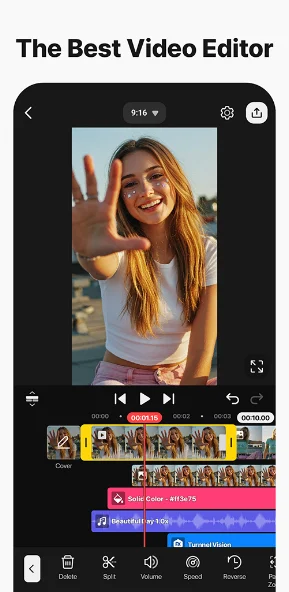
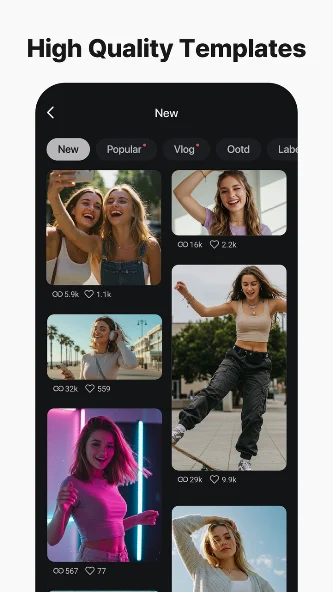
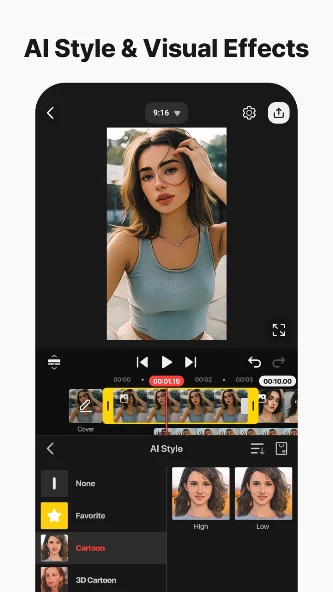
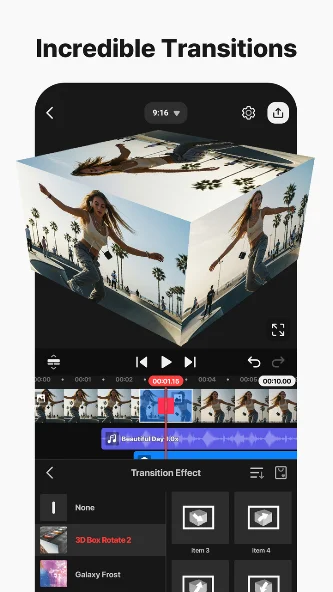
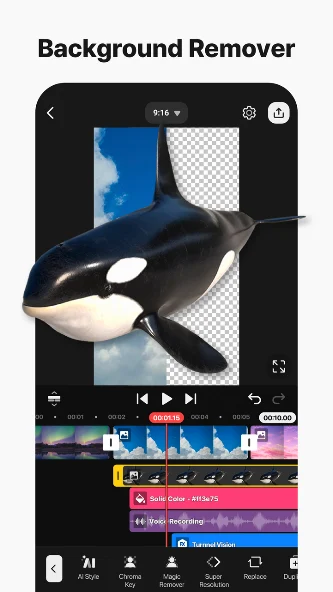
KineMaster is a mobile video editor for Android and iOS, developed by KineMaster Corporation, a company based in Seoul, South Korea. On Google Play it is listed by KineMaster, Video Editor Experts Group. It is built around a multi-layer timeline: clips, images, text, stickers, and effects stack as independent layers you can move, resize, and animate. Keyframe animation lets text and stickers move across the screen, there is chroma key for green-screen footage, color adjustment for brightness, contrast, and saturation, and an Asset Store with royalty-free music, sound effects, stickers, fonts, and transitions. That combination is why many YouTube creators and vloggers edit on it. If you only need the app itself, our main KineMaster MOD APK page covers the app overview.
What Is the KineMaster Watermark, and Why Does It Appear?
The KineMaster watermark is the KineMaster logo that appears on every video exported from the free version of the app. It is usually placed in a corner of the frame and stays visible for the whole video. There is no setting in the free app to turn it off — the logo on your exports is the trade-off for a free editor. KineMaster’s help center confirms that only a Premium subscription removes it from new exports. Every claim about kinemaster mod apk without watermark falls into one of two groups: methods KineMaster endorses, and methods that work around the subscription check.
The Short Answer: How Do You Get KineMaster Without a Watermark?
The real routes to a kinemaster mod apk without watermark result: Premium (the only endorsed method); a MOD APK (unofficial, risky); cropping; covering; a remover tool; or re-editing in a free editor that exports clean. Each is explained below.
KineMaster Free vs Premium: The Full Comparison
The important surprise is how much the free version already includes: the full timeline, layers, keyframes, and chroma key — the watermark and locked Premium assets are the main limits. Premium removes the watermark from new exports, removes ads, and unlocks the full Asset Store — the clean-export result every kinemaster mod apk without watermark search is really after. That is the gap every kinemaster mod apk without watermark download promises to close. How much does Premium cost? This cannot be stated as a single fixed dollar price — and any article that does is guessing. KineMaster’s help center and blog do not publish a fixed US dollar price; the subscription is bought as a monthly or annual plan through Google Play or the App Store.
What Is a KineMaster MOD APK?
A kinemaster mod apk without watermark file is a modified copy of the official KineMaster Android app. Someone other than KineMaster Corporation takes the official app file, changes its code — typically to bypass the subscription check that adds the watermark — and shares the altered file on third-party websites. MOD distributors typically claim watermark-free exports without a subscription, Premium assets unlocked, no ads, 4K export unlocked, and all editing tools available. But no MOD distributor can honestly promise the things that matter most. Safety: a modified APK can contain added code the official app does not have — adware, spyware, or code that steals login details — and nobody screens it the way Google Play screens the official app. Account safety: KineMaster’s terms do not cover modified clients, and accounts using them can be restricted. Updates and support: if a MOD breaks, there is nobody to contact — KineMaster support will not help, Google Play will not refund anything, and the site that gave you the file has no obligation to fix it. Legal issues: modifying and redistributing a copyrighted app without permission violates the app’s terms of service and, in many cases, copyright law.
Is a KineMaster MOD APK Safe? The Honest Risks
This is the section most pages about kinemaster mod apk without watermark skip, and it is the most important one in this guide. A MOD APK is an app file altered by an unknown third party and installed outside the protections of Google Play. The most serious risk is malware: a MOD skips Google Play Protect screening, and whoever modified it could have added code that runs in the background, shows ads, or steals data. The second risk is privacy: a video editor needs your photos, videos, microphone, and storage, so a modified version can reach the same personal media. Third, account and device problems: modified apps can interfere with your Google account, your KineMaster account, and other apps on the phone. Fourth, no updates, no support, no refund: when a MOD breaks after an update, you are on your own. Fifth, legal and terms-of-service issues, as covered above. Many people use modified apps and notice nothing wrong — but “nothing obviously went wrong” is not proof of safety, and the downside is your photos, your accounts, and your phone. The safety checklist near the end reduces some of the risk — but no checklist makes a kinemaster mod apk without watermark download safe.
How to Edit a Video in KineMaster
Whether you use the free app, Premium, or a MOD, the editing workflow is the same. Start a new project and choose the aspect ratio first — 16:9 for YouTube, 9:16 for Shorts, Reels, and TikTok. Import clips, photos, and audio in order, trim and split on the timeline, add layers and keyframes, fix color, and add music from the Asset Store. Preview the whole video before you export. A clean export starts with a clean edit — and none of these steps changes the watermark, which is why the kinemaster mod apk without watermark options in the next section exist at all.
How to Export Without a Watermark: Every Option, Explained Honestly
Here is each option with its real cost and its real downside. Option 1: subscribe to KineMaster Premium (the official method). Tap the crown icon, choose monthly or annual, and confirm through Google Play or the App Store. Every export after that is watermark-free, ad-free, and includes Premium assets. Cost: a subscription; downside: it is the only option that costs money. Option 2: use a MOD APK (the unofficial method). A MOD claims to unlock Premium without a subscription by changing the app’s subscription check. Not official, not endorsed, and it carries the risks described above. Cost: free; downside: every risk in the previous section, and no support if it breaks. Option 3: crop the watermark out. Export from the free app, then crop the video so the watermark area is cut off. Downside: you lose part of the frame, and on vertical video the crop is noticeable. Option 4: cover the watermark. Add a solid bar, a sticker, your own logo, or a text box over the watermark area. Best when you already planned a logo or lower-third graphic there. Option 5: remove it in another app. Some tools and online services claim to remove watermarks by blurring or cropping — quality varies, many add their own watermark, and uploading your video to an unknown site has its own privacy cost. Option 6: re-edit in a free editor that exports clean. If you have the original clips, rebuilding elsewhere is often the cleanest free option — CapCut exports without a watermark on most projects (see our KineMaster Pro vs CapCut comparison and CapCut MOD APK overview). One hard limit applies to every option except Premium and a MOD: a MOD cannot clean a video that already has the watermark burned into it — it can only affect new exports.
Export Settings That Make Your Video Look Professional
Resolution, frame rate, codec, and bitrate decide whether your video looks sharp or blurry and compressed. Resolution: 1080p is the sweet spot for most US creators — the best balance of quality and file size. Frame rate: match your source footage. 30fps is the standard for vlogs, tutorials, and most social content; 60fps is better for fast movement such as sports, gaming, or dance. Codec: H.264 is the most compatible choice for YouTube and TikTok; H.265 makes smaller files but not every platform handles it well. Before you tap Export, check: ratio matches the platform (16:9 YouTube, 9:16 Shorts/Reels/TikTok); resolution is 1080p or higher; frame rate matches your source; audio is not clipping; and you have watched the full preview. These settings do not remove the watermark — no export setting does, which is why the kinemaster mod apk without watermark question keeps coming up.
Common Export Problems and How to Fix Them
Watermark still there after paying: check Premium is active and you are signed in to the same KineMaster and store account you subscribed with. Export fails or the app crashes: free up storage, close other apps, and restart your phone; long 4K exports need free space and memory, so try 1080p instead. Video looks blurry: a low-resolution source clip cannot gain detail from a 4K export — export at 1080p with original-quality files. Audio out of sync: usually variable-frame-rate source footage (common with screen recordings) — export at the source frame rate. Video too large: export at 1080p instead of 4K, or choose H.265. Project will not open: it may be corrupted or created in a newer version — update the official app from Google Play and restart your phone. If you landed here by searching kinemaster mod apk without watermark after paying for Premium, the fix is your account, not a MOD — check the subscription first.
KineMaster MOD APK Without Watermark vs the Alternatives
If your only goal is a clean export, KineMaster is not the only option — CapCut exports without a watermark on most projects. For a free timeline editor with keyframes and layers, Alight Motion is the closest alternative, though its free tier also watermarks exports. Our roundup of the best video editor MOD APKs of 2026 compares the main options side by side. KineMaster fits phone editors wanting multi-layer, keyframe, and green-screen tools; not the best choice if you edit once a month, or only make quick TikTok clips, where CapCut is faster. A kinemaster mod apk without watermark search is really a search for a clean export at zero cost — and the honest answers are pay for Premium, accept a workaround like cropping, or switch editors.
Safety Checklist: If You Still Consider a MOD
This checklist does not make a MOD safe — if any step feels like too much work, Premium or a free alternative is the better choice. Do not use your main phone: test on a spare device, not the phone with your banking apps and photos. Do not use your main Google or KineMaster account, and never enter banking details or passwords into a modified app. Scan every file first, and keep a backup of your projects and photos somewhere the app cannot reach. Decide in advance what you will do when the MOD breaks after an update: go back to the official app or switch editors. How to decide: how often do you edit? Every week — Premium is worth it. Once a month — try a free clean-export editor. Once a year — use the free version and crop or cover the watermark. If you still want a kinemaster mod apk without watermark file after this, re-read the risks section first.
The Bottom Line
The search for kinemaster mod apk without watermark starts with a reasonable want: a clean video that looks like your work. KineMaster’s free app gives you a powerful editor and then stamps its logo on the result. Premium removes that stamp, and it is the only method KineMaster endorses. A MOD promises the same result for free, but the price is risk: malware, stolen data, a restricted account, and no support. The free workarounds cost a little time or a little of the frame, and nothing else. For weekly editors, Premium is the honest answer; for everyone else, a free clean-export editor is smarter. Whatever you choose, do it with your eyes open — and never pay a website for a kinemaster mod apk without watermark download, because the file itself is always shared free, and a site charging for it is scamming you twice.
Does the free version of KineMaster always add a watermark?
Yes. Every video exported from the free version carries the KineMaster watermark, there is no setting to turn it off, and only a Premium subscription removes it.
Is there a legal way to use KineMaster without a watermark for free?
There is no official free method that removes the watermark from KineMaster exports, and no kinemaster mod apk without watermark download changes that. The legal options are to subscribe to Premium, to crop or cover the watermark area in the finished video, or to export your project and finish it in another editor that exports clean.
What is KineMaster Premium, and what does it unlock?
KineMaster Premium is the paid subscription inside the official app, as a monthly or annual plan through Google Play or the App Store. It removes the watermark and ads and unlocks the full Asset Store. KineMaster publishes no fixed US dollar price — check it inside the app.
Is a KineMaster MOD APK safe to install?
No kinemaster mod apk without watermark file can be called safe. A MOD is an altered copy of the official app distributed outside Google Play by an unknown third party. It can contain malware or spyware, access your photos and contacts, interfere with your accounts, and it has no support or refund if it breaks.
Can a MOD APK remove the watermark from videos I already exported?
No. A kinemaster mod apk without watermark build cannot clean a video file that already has the watermark burned into it. The watermark is part of that finished file. A MOD can only affect new exports made from the modified app, by changing the subscription check before export.
Why does KineMaster still show a watermark after I subscribed to Premium?
Usually the subscription is not active, or you paid on a different Google Play, App Store, or KineMaster account than the one you are signed in to now. Check the status in the store account you paid with.